4Geeks Assets
4Geeks Assets provides comprehensive IT asset management for physical hardware and digital software licenses. Track assignments, manage lifecycles, and monitor costs — all from a single dashboard.
Visuelle Anleitung
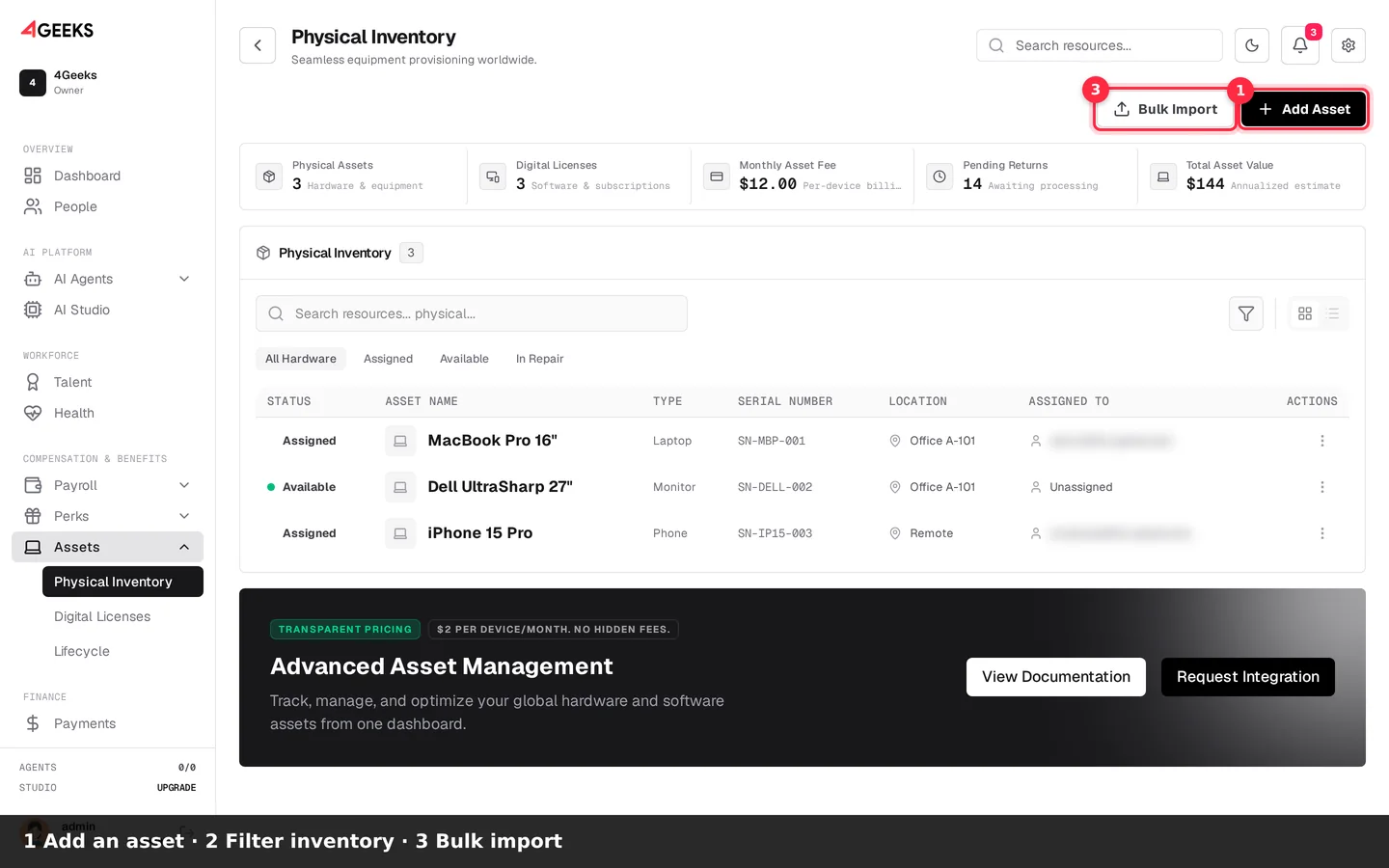
Inventar verwalten
- Klicken Sie auf Asset hinzufügen.
- Nutzen Sie Gesamte Hardware.
- Klicken Sie auf Massenimport.
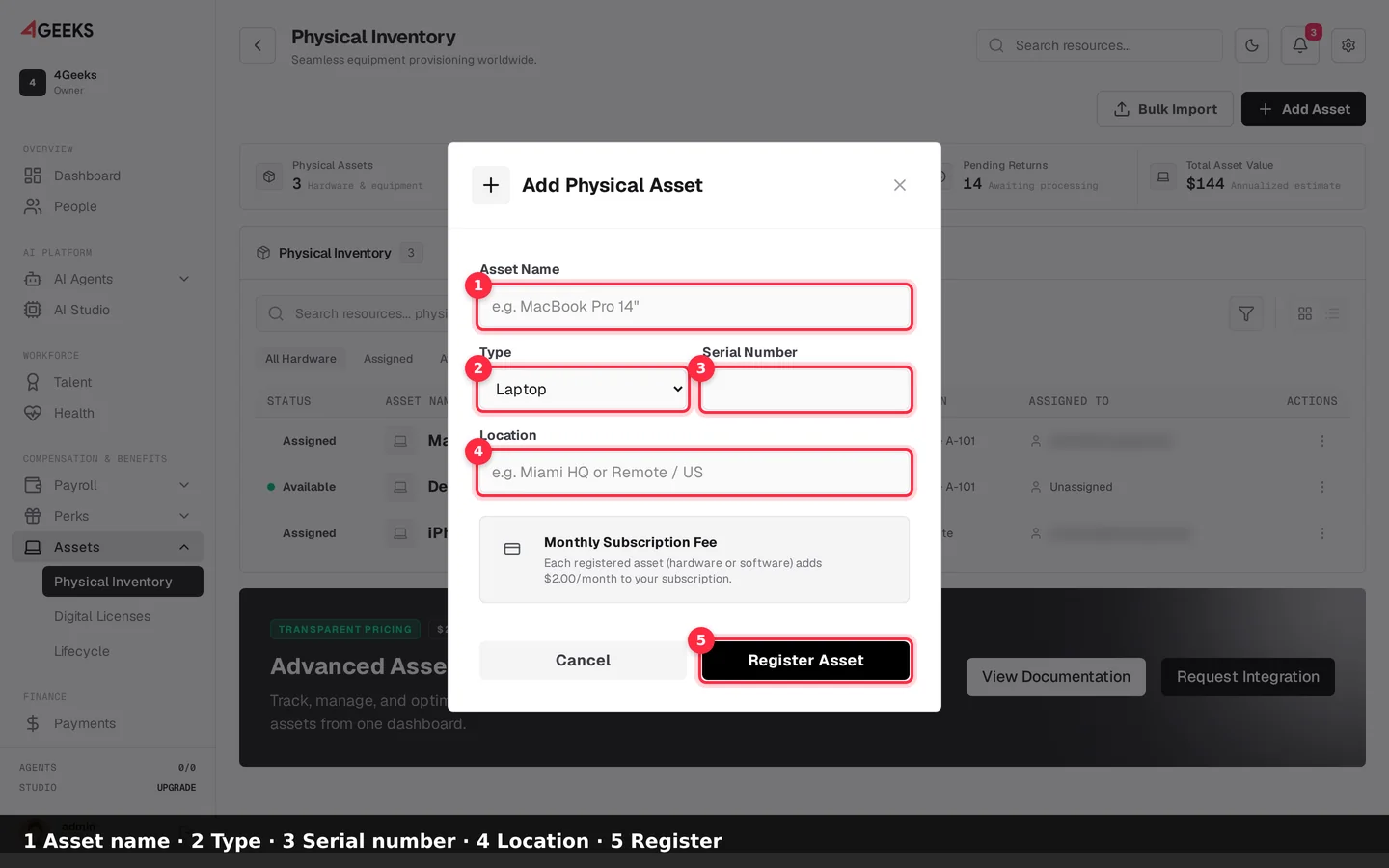
Asset registrieren
- Geben Sie den Asset-Namen ein.
- Wählen Sie den Typ.
- Geben Sie die Seriennummer ein.
- Geben Sie den Standort ein.
- Klicken Sie auf Asset registrieren.
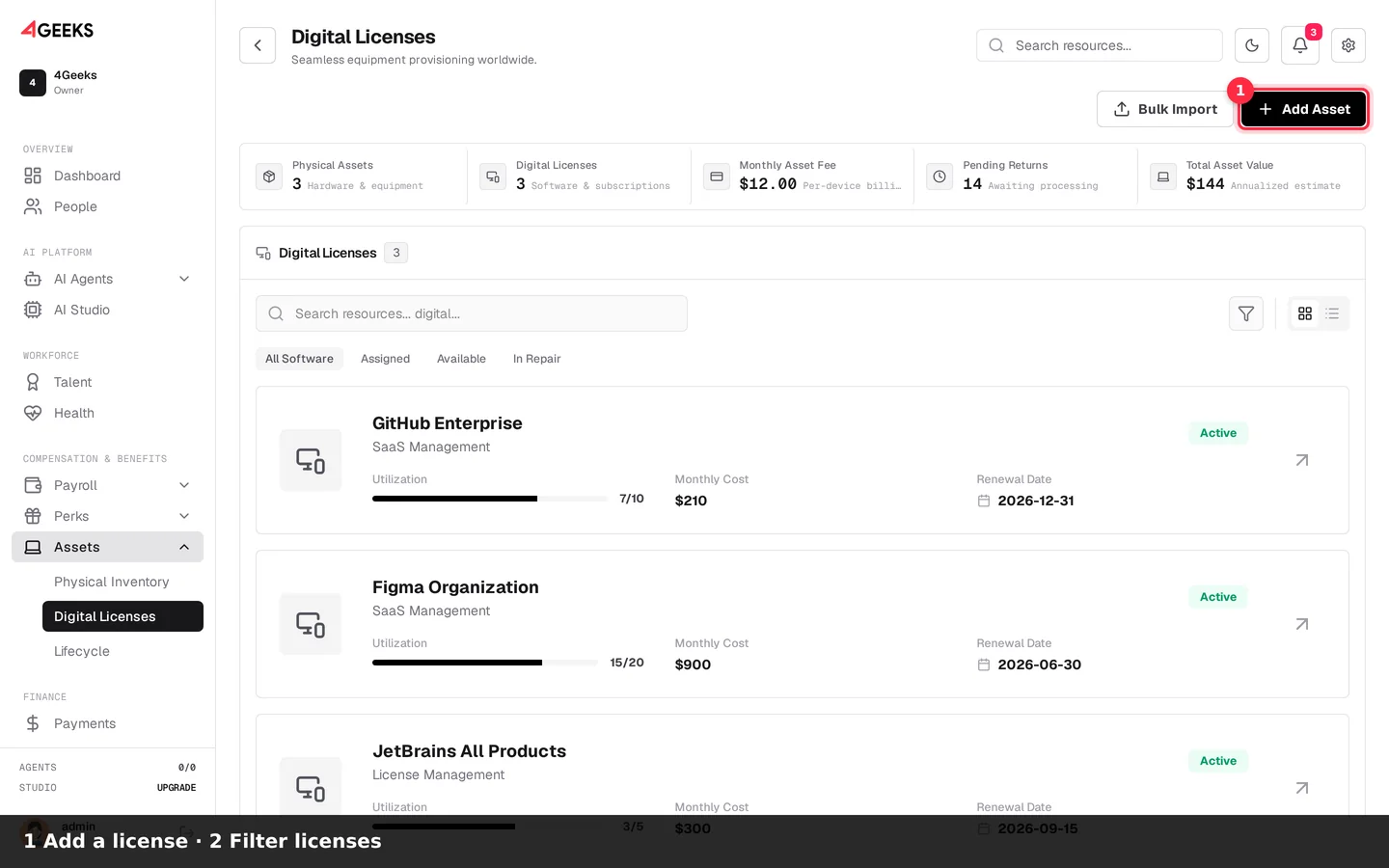
Digitale Lizenzen prüfen
- Klicken Sie auf Asset hinzufügen.
- Nutzen Sie Gesamte Software.
- Öffnen Sie eine Lizenz für Nutzung und Verlängerung.
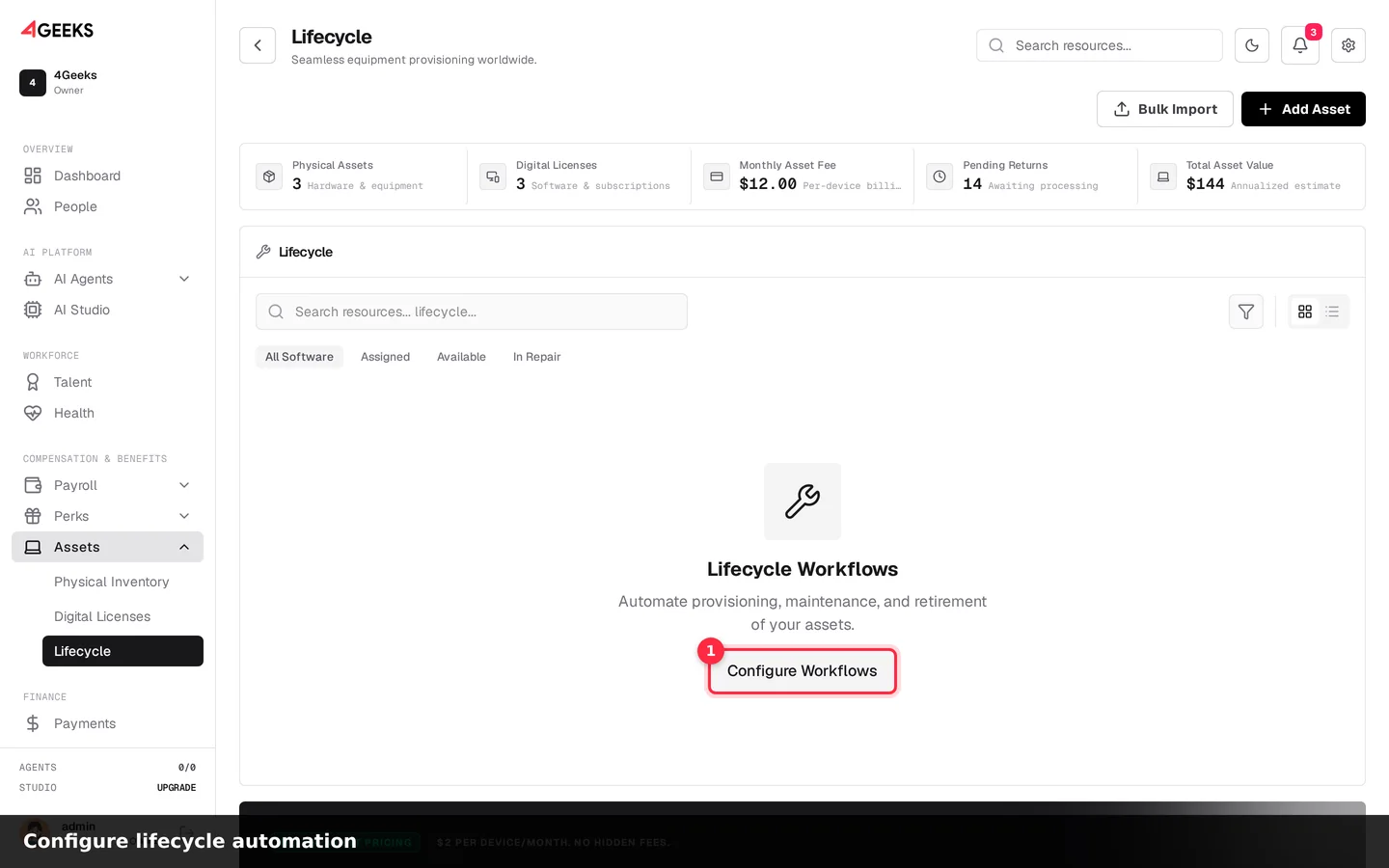
Lebenszyklus automatisieren
- Klicken Sie auf Workflows konfigurieren.
- Definieren Sie Bereitstellung, Wartung und Ausmusterung.
Key Features
| Feature | Description |
|---|---|
| Physical Asset Tracking | Monitor laptops, monitors, phones, and other hardware with status lifecycle management |
| Digital License Management | Track software licenses, seat utilization, and renewal dates |
| Assignment Tracking | Assign assets to employees and track ownership history |
| Bulk Import | Import large asset inventories via CSV with automatic subscription setup |
| Automated Billing | Per-device subscription billing at $2/device/month via our payment processor |
| Grid/List Views | Toggle between visual grid and detailed list views |
How It Works
graph LR
    A[Add Assets] --> B[Assign to Employees]
    B --> C[Track Lifecycle]
    C --> D[Monitor Costs]
    D --> E[Renew/Retire]
Getting Started
- Navigate to Assets — Access the Assets section from the main dashboard
- Add Your First Asset — Click “Add Asset” and choose physical or digital
- Assign to Employees — Link assets to team members for tracking
- Monitor Usage — View assignment status and cost breakdowns
Pricing
| Plan | Price | Includes |
|---|---|---|
| Per Device | $2/device/month | Physical assets and digital licenses, unlimited assignments, bulk import |
What’s Next
- Physical Assets — Learn about hardware tracking and lifecycle management
- Digital Licenses — Manage software licenses and seat utilization
- FAQ — Common questions about asset management
Need Help?
- Join our Discord community
- Contact enterprise support
Noch Fragen? Frag uns auf Discord oder entdecke die Tutorials.