4Geeks Payments
4Geeks Payments is a payments platform built for SaaS businesses. You sell in your own name, 4Geeks processes the charge, settles it to your account, and pays out your earnings — so you can focus on building your product.
Summary
Who it’s for: SaaS and digital businesses that charge online.
What it solves: payments, subscriptions, payment links, refunds, and payouts.
Start here: activate your account and create your first charge.
What you can do
Charges
One-time payments with 3D Secure, fraud checks, and a full transaction log.
🔗Payment links
Share a checkout URL by email, WhatsApp, or social media. No code required.
🔁Subscriptions
Recurring billing, plans, trials, and a self-service customer portal.
👥Customers
One record per buyer with payment history and subscription status.
↩️Refunds
Full or partial refunds with a clear audit trail.
⚖️Chargebacks
Respond to disputes with evidence and track the outcome.
🏦Payouts
Receive your earnings on a predictable schedule.
🧩Plugins
Connect WooCommerce and other platforms without building an integration.
Visual guide
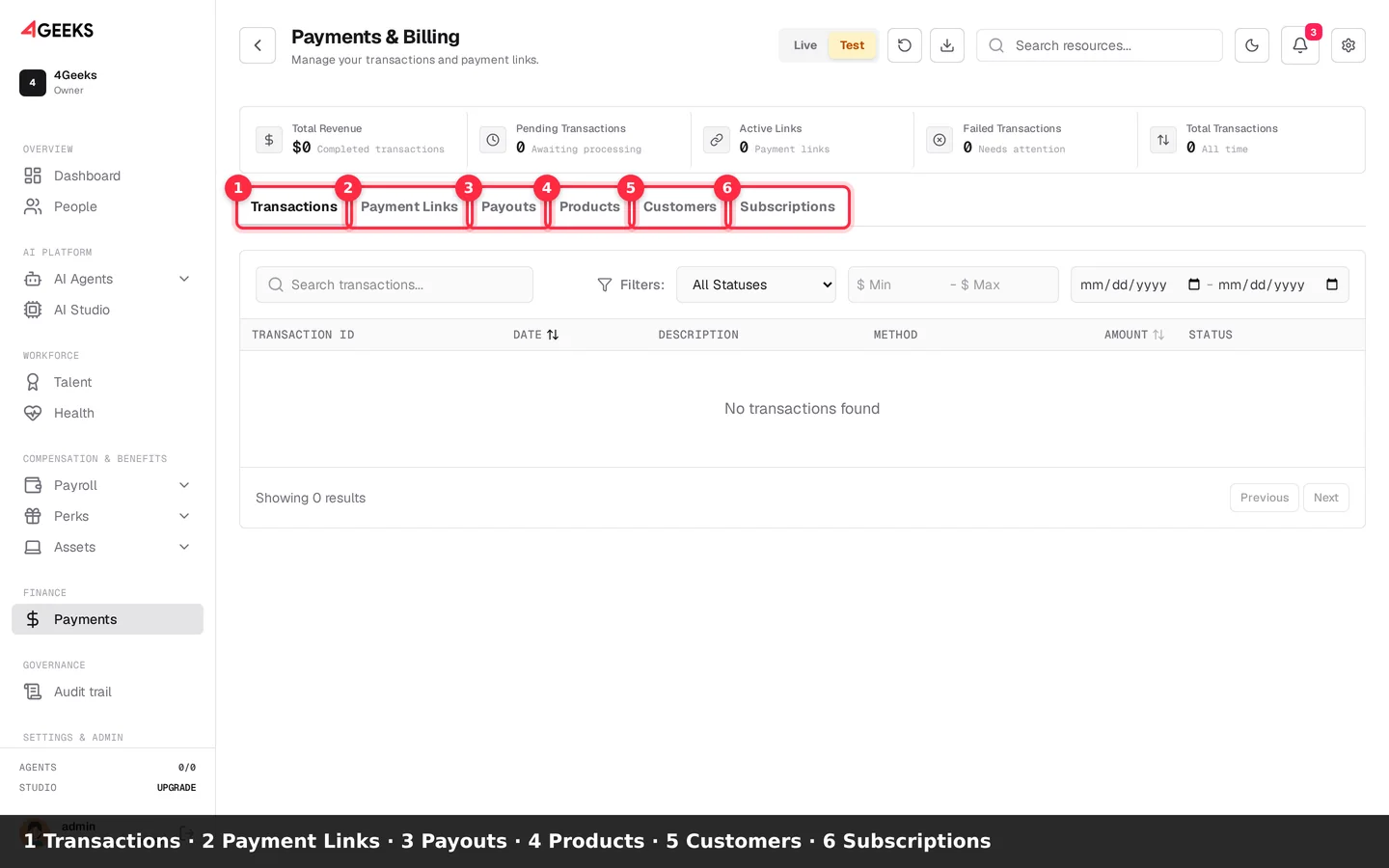
Find the right Payments section
- Use Transactions for charges and payment history.
- Open Payment Links to create shareable links.
- Open Payouts to track settlements.
- Use Products to manage the catalog.
- Use Customers for buyer records.
- Open Subscriptions for recurring billing.
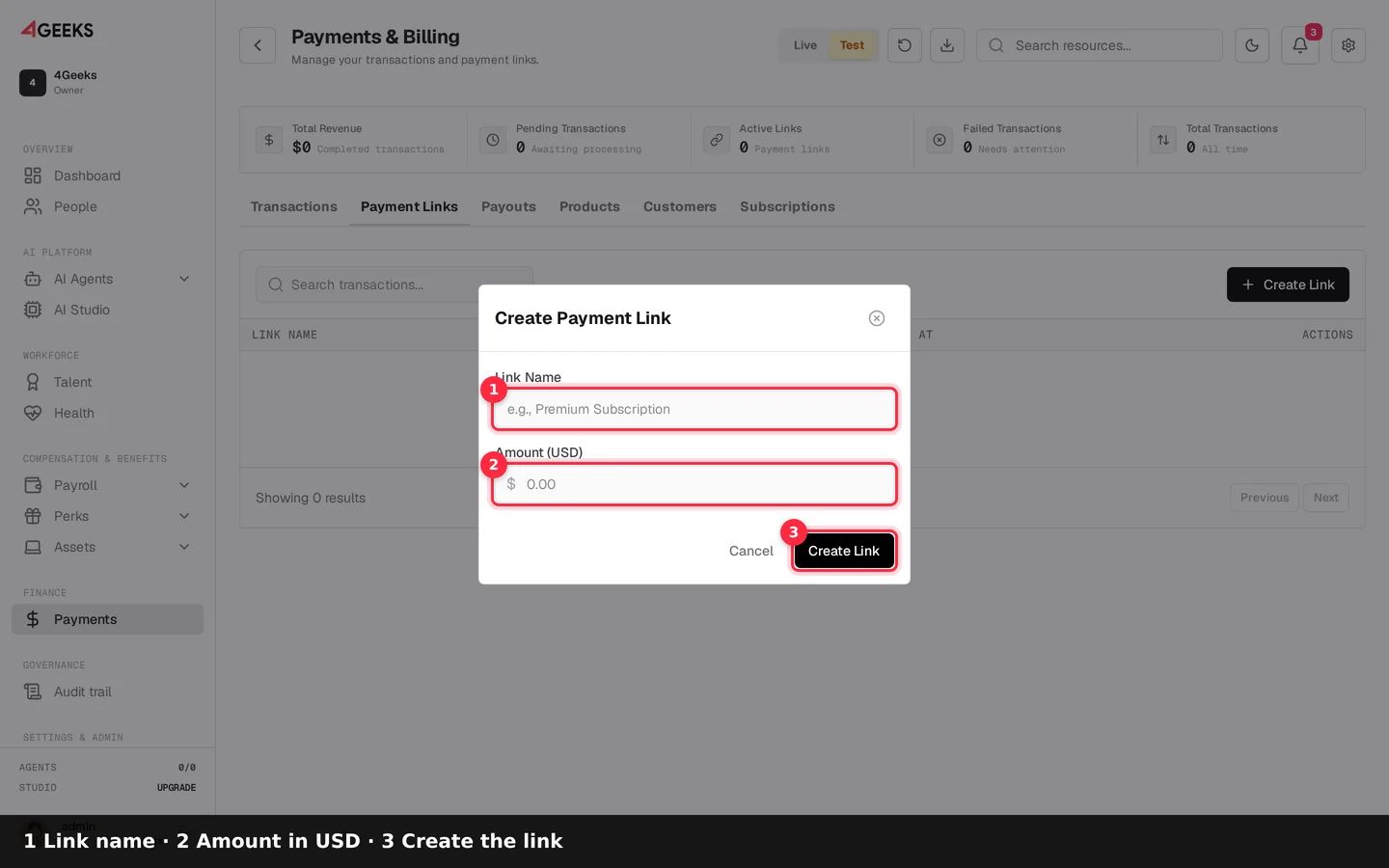
Create a payment link
- Click Create Link.
- Enter a Link Name your team will recognize.
- Enter the Amount (USD).
- Click Create Link to generate the URL.
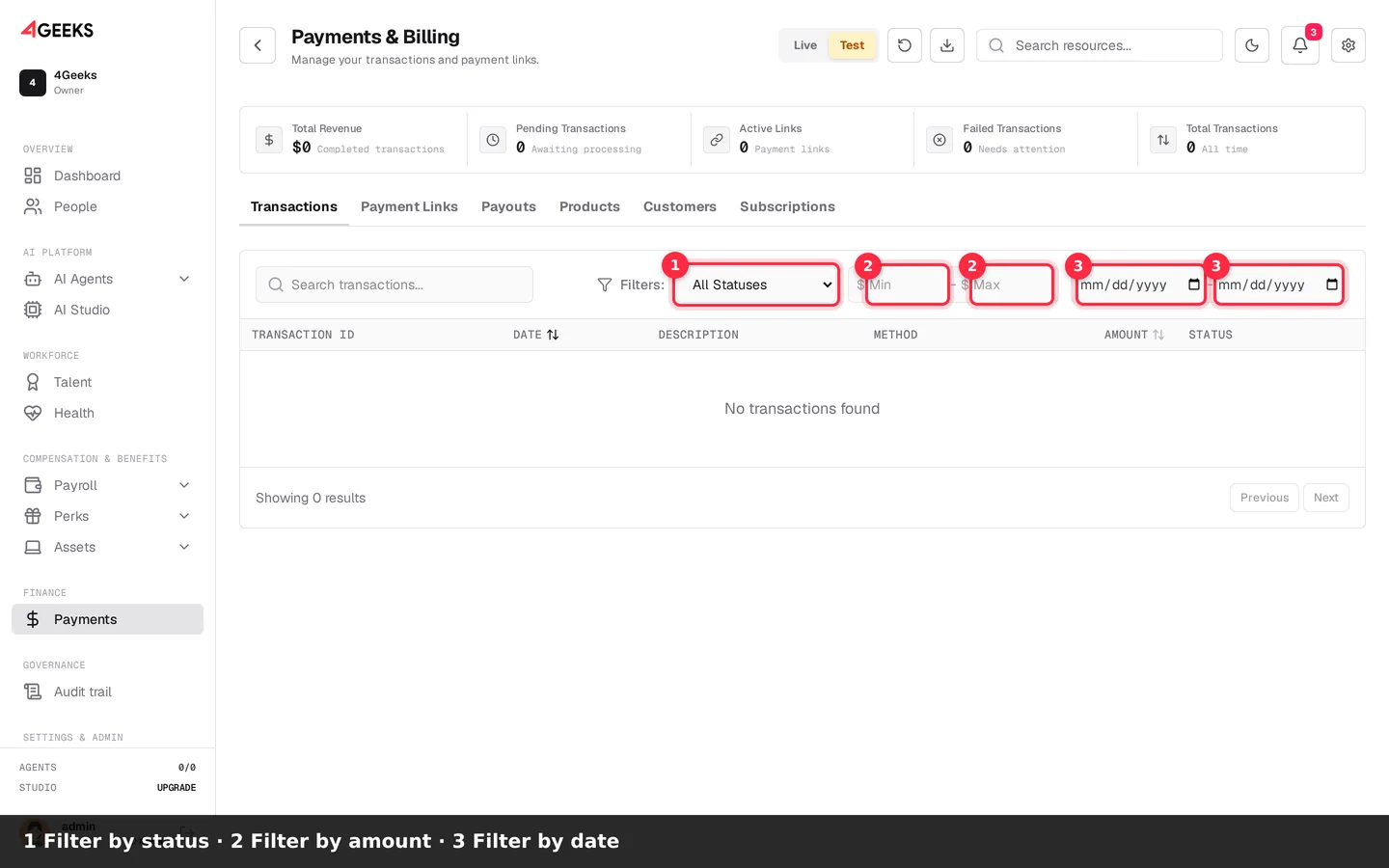
Filter transactions
- Choose a Status.
- Set the amount range.
- Set the date range.
- Review the filtered table.
Product tour
Transcript
- Payments & Billing: revenue, links, payouts, and customers
- Create and share one-time payment links
- Track payouts and settlement history
- Manage the product catalog used by plans and links
- One record per buyer with payment history
- Recurring billing and customer self-service
Choose your path
| If you need… | Start with… | Why |
|---|---|---|
| To charge a customer today | Payment link | Shareable URL, no code, 3DS included |
| A checkout inside your app | Charges API | Full control of the payment flow |
| Recurring monthly revenue | Subscriptions | Plans, retries, and customer portal |
| To sell on WordPress | WooCommerce plugin | Install, connect keys, go live |
| To understand fees first | Pricing | Plans, transaction fees, and payout timing |
How it works
flowchart LR
  A[Customer] --> B{Payment method}
  B -- Link --> C[Hosted checkout]
  B -- API --> D[Your checkout]
  B -- Plugin --> E[WooCommerce]
  C --> F[3D Secure]
  D --> F
  E --> F
  F --> G[Charge approved]
  G --> H[Settlement]
  H --> I[Payout to your account]
Why 4Geeks Payments
- You stay the seller of record — your customers buy from you, in your name. You keep control of your tax and compliance obligations.
- Built for SaaS — subscriptions, trials, and recurring billing are first-class features.
- Global reach — accept payments in multiple currencies from customers worldwide.
- Fraud prevention included — 3D Secure and risk checks protect your revenue.
- One console — charges, customers, refunds, disputes, and payouts in one place.
Start here
- Activate your payments service.
- Check supported businesses and countries.
- Create a payment link or integrate the API.
- Test with sandbox cards before going live.
Activate 4Geeks Payments Explore the API
FAQ
Do I need my own merchant account?
You apply once inside 4Geeks. Our team reviews the business, and approval gives you your own managed merchant account.
Who sells to my customer?
You do. Your business remains the seller of record and keeps its own tax, compliance, and chargeback obligations.
Can I test before going live?
Yes. The sandbox is free, unlimited, and separate from production data. Use test keys and sandbox cards.
How do I get paid?
4Geeks settles approved charges to your account and pays out your earnings on your payout schedule. See Payouts.
Related
Still have questions? Ask on Discord or explore the tutorials.