4Geeks Payroll
Workforce management and payroll for LATAM and global teams.
4Geeks Payroll is a complete payroll console for employers. It centralizes your people, their contracts, time and attendance, leaves, local statutory calculations, payroll runs and payslips — so your HR and finance teams work from a single source of truth.
Summary
Who it’s for: HR and finance teams.
What it covers: employees, time and attendance, taxes, runs, payslips, and reports.
Result: payroll processed with traceability and local compliance.
Start here
Getting started
Configure your company, stations, and first employees.
🧾Payroll runs
Preview, adjust, and process a pay period.
⏱️Time tracking
Approve timesheets before they reach payroll.
⚖️Tax & compliance
Set the compliance country and sign the rates.
🗂️Electronic filings
Generate the official file and track the acknowledgement.
The product is made of three components:
| Component | What it is | Where it runs |
|---|---|---|
| Payroll console | The employer/admin web app where you manage everything | console.4geeks.io (this guide) |
| Employee app | A mobile app for employees to view payslips, clock in/out and contact HR | Android |
| FaceID kiosk | A tablet attendance terminal with touchless facial recognition | Android tablet |
Visual guide
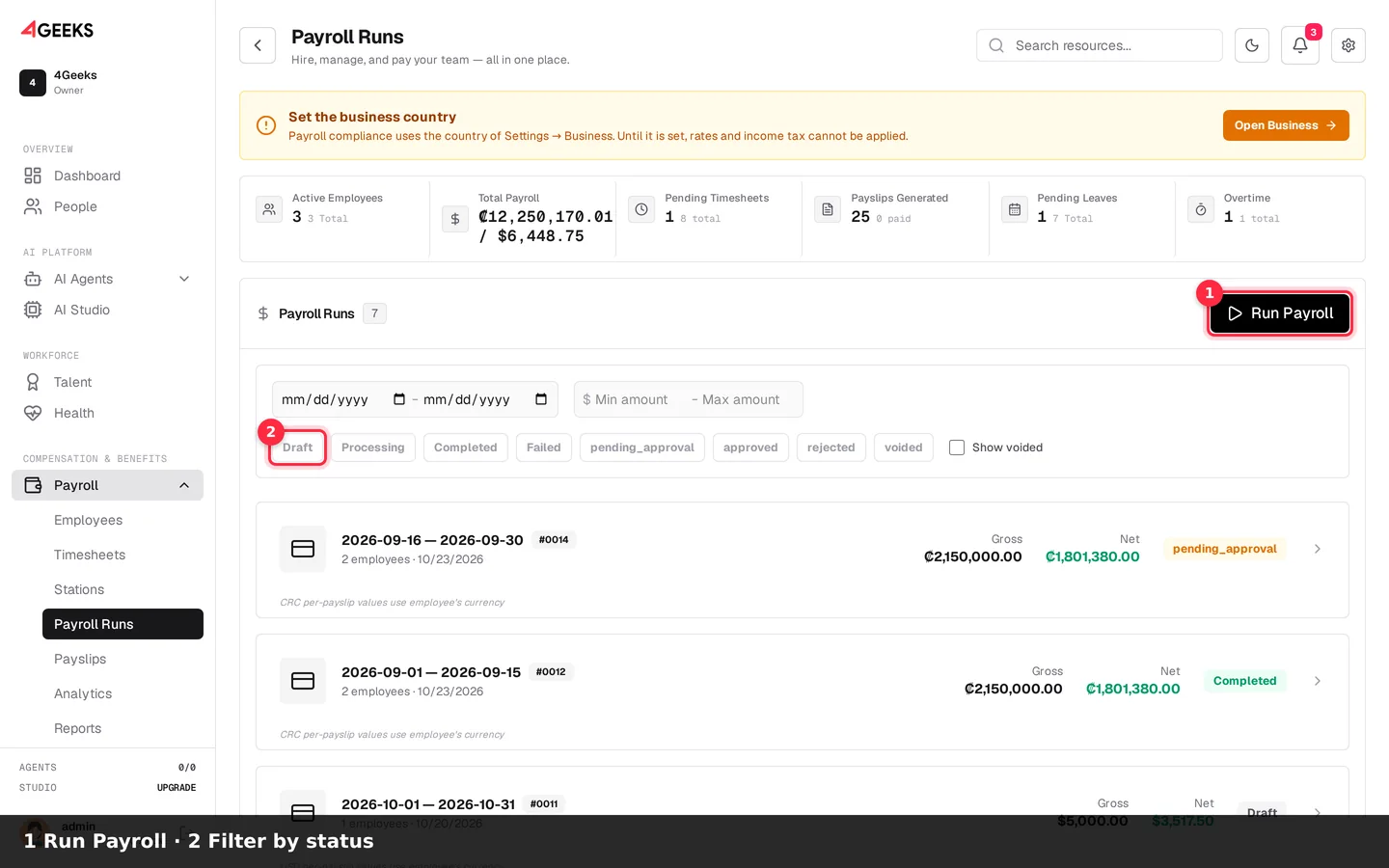
Create a payroll run
- Click Run Payroll.
- Use the status chips to filter runs.
- Open a run to review or continue it.
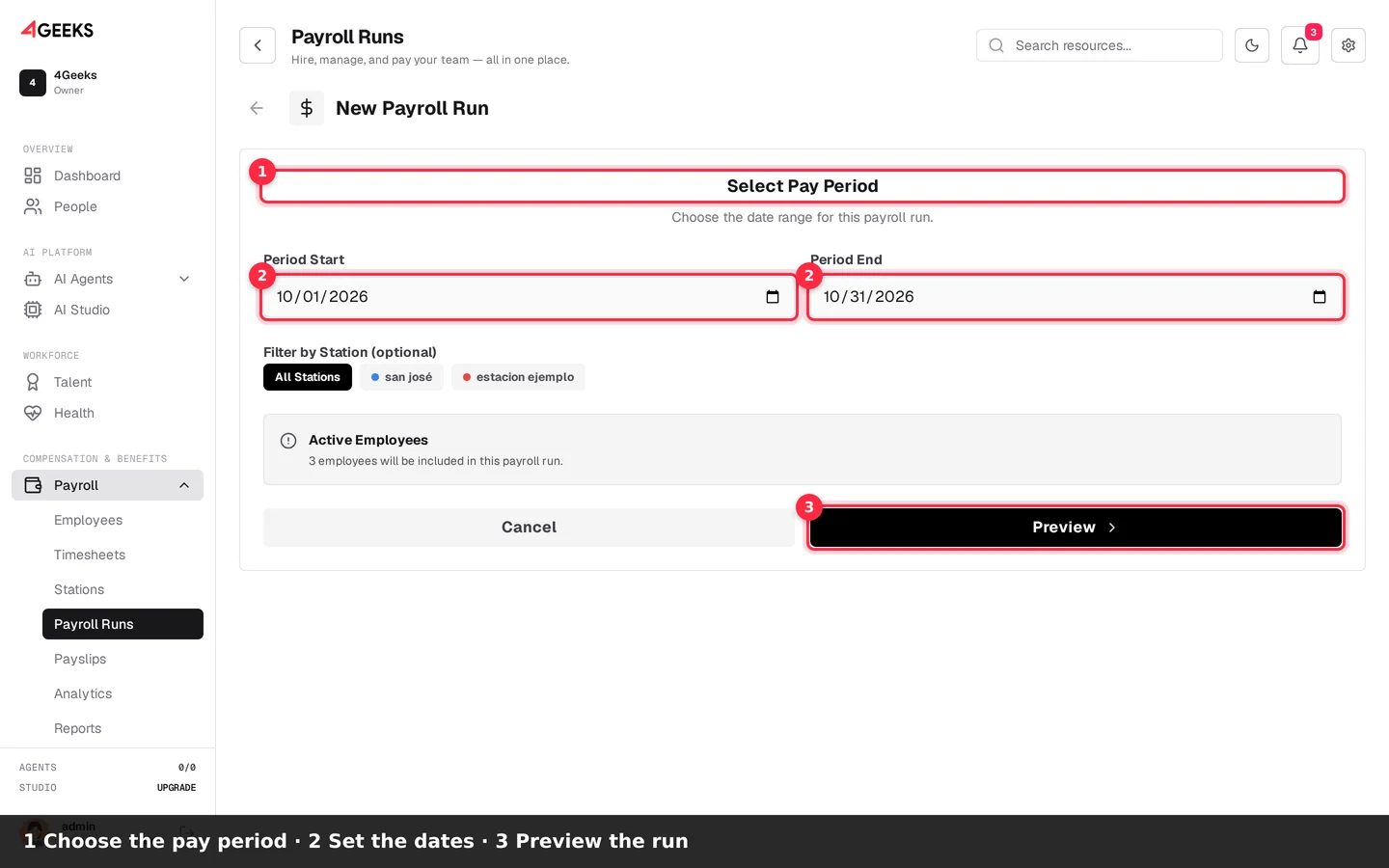
Choose the pay period
- Review the Select Pay Period section.
- Set Period Start and Period End.
- Click Preview to review employees and amounts.
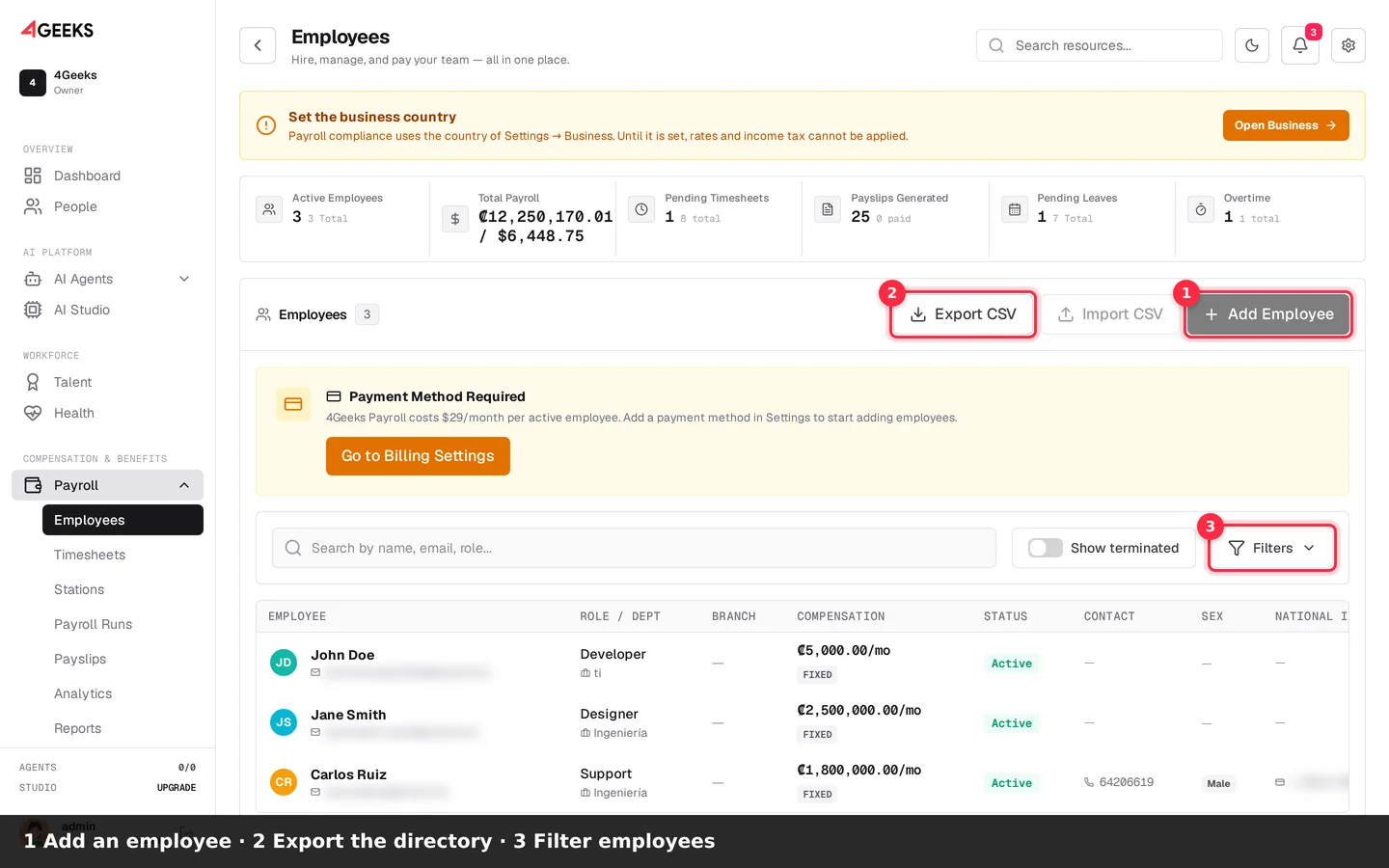
Manage employees
- Click Add Employee to register a new person.
- Use Export CSV to download the directory.
- Use Filters to narrow the list.
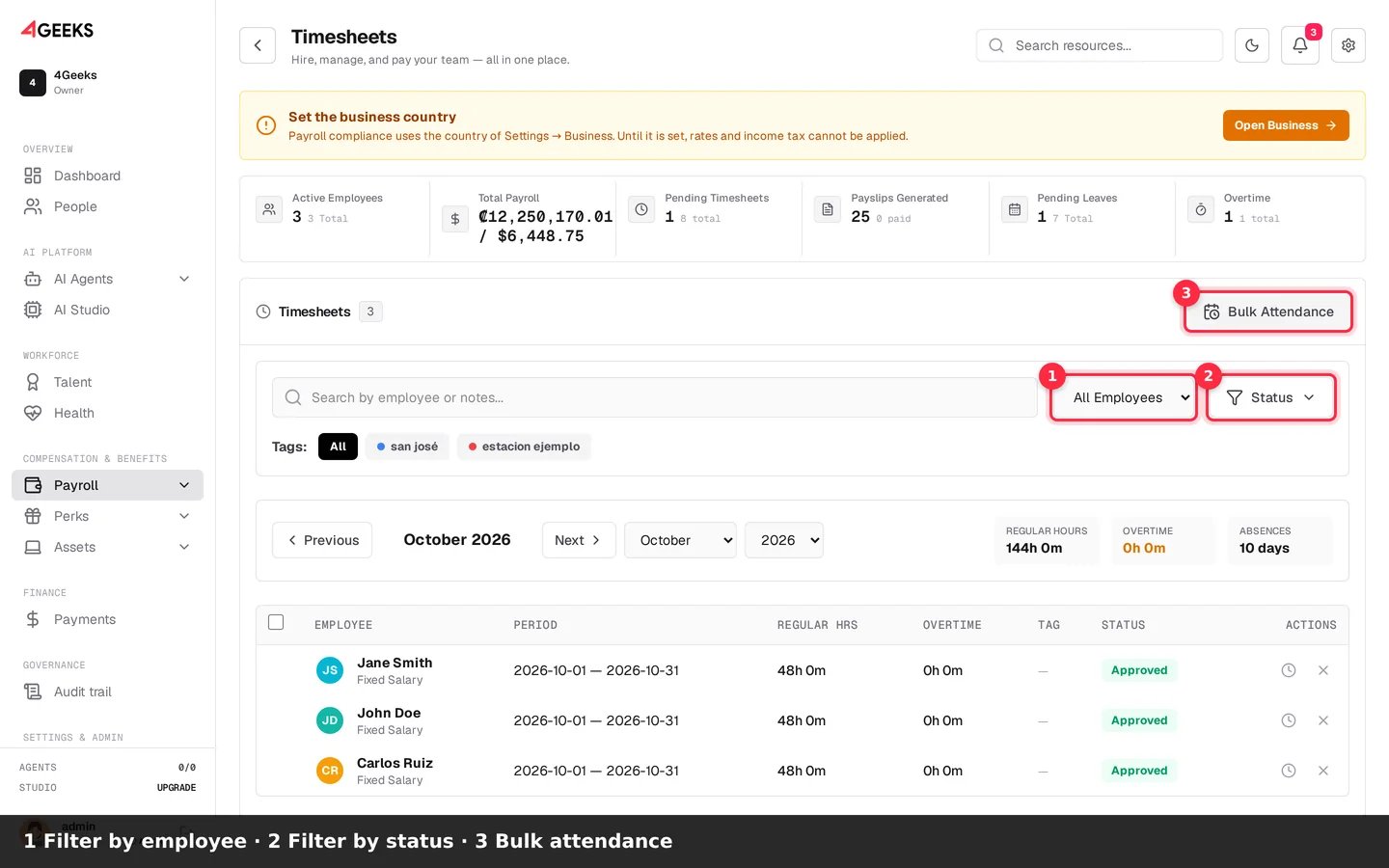
Review timesheets
- Filter by employee.
- Filter by status.
- Use Bulk Attendance for multiple entries.
- Approve timesheets before running payroll.
Product tour
Transcript
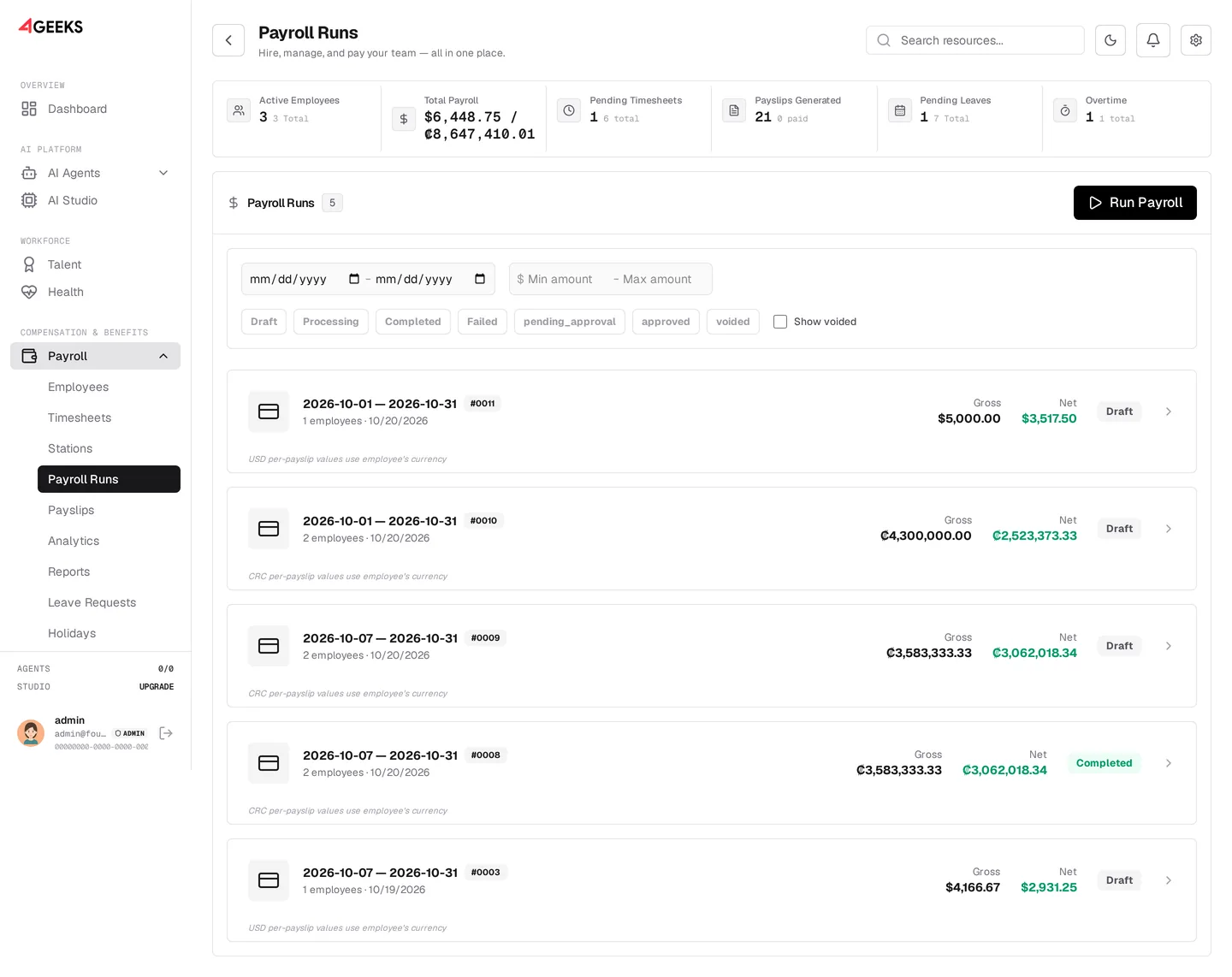
- Payroll runs: pay periods, gross, net, and status
- Employee and contractor directory
- Review and approve time before payroll
- Generate, review, and deliver payslips
- Payroll cost, headcount, and trends
The Payroll console
The console is organized into modules. The Payroll module itself has twelve tabs:
| Tab | What you do |
|---|---|
| Employees | Directory of employees and contractors, profiles, bonuses, deductions, FaceID photos and terminations |
| Timesheets | Review attendance and approve monthly timesheets |
| Stations | Create work locations used to group attendance and payroll |
| Runs | Calculate and process payroll runs |
| Payslips | Review, export and deliver payslips |
| Analytics | Cost trends, headcount, forecast and breakdowns |
| Reports | Download operational reports (Employees, Aguinaldo, Vacations, Leaves, History, Deductions, Bonuses, Employer Cost) |
| Leaves | Record and review leave requests |
| Holidays | Manage the holiday calendar and holiday pay |
| Overtime | Review and approve detected overtime |
| Travel Expenses | Aggregated per-diem payout report |
| Viáticos | Bulk per-diem upload |
Two related modules live outside the Payroll module but work with the same employee data:
- Work Shifts (
/operations/work-shifts) — shift templates, assignments, labor compliance and night differentials. - Settings → Payroll and Settings → Tax & Compliance — payroll preferences and tax rules.
- Documents (
/documents) — the HR Document Studio for generating contracts and letters as PDF.
Where to start
New to 4Geeks Payroll? Follow the Getting started checklist.
Countries, currencies and taxes
4Geeks Payroll is built around 18 Latin American countries with a proposed compliance pack (social-security rates, income tax and local benefits):
Argentina, Bolivia, Brazil, Chile, Colombia, Costa Rica, Dominican Republic, Ecuador, El Salvador, Guatemala, Honduras, Mexico, Nicaragua, Panama, Paraguay, Peru, Uruguay and Venezuela.
Each workspace has one compliance country, the one in Settings → Business. Payroll applies only that country’s rates; employees inherit it and the console refuses to change it while data of another country remains. See Tax & compliance.
Payroll supports 17 currencies (the commercial LATAM list):
ARS, BOB, BRL, CLP, COP, CRC, DOP, GTQ, HNL, MXN, NIO, PAB, PEN, PYG, USD (Ecuador, El Salvador, Panama), UYU and VES.
A country outside that list has no compliance pack: the console leaves the compliance country empty, and payroll cannot apply rates until you choose a supported country in Business.
Social security + income tax
The console calculates employee and employer social-security contributions from the signed pack and withholds salary income tax from the bundled table of 17 countries (Venezuela is manual). The company reviews and signs the rates before any payment.
See Country reference for every table and Electronic filings for the filing channel per country.
Plans and pricing
All plans require a minimum of 30 workers.
| Plan | Price | Highlights |
|---|---|---|
| Core | $7 USD / worker / month | HR & worker profiles, multi-contract & multi-branch, multi-currency payroll & payslips, bonuses & deductions, local tax calculations |
| Business | $12 USD / worker / month | Everything in Core plus the employee self-serve app, GPS & Face ID time-tracking, API access & integrations, advanced analytics, priority support |
| Grow | Custom | Software plus a dedicated payroll specialist, full payroll maquila & operations, labor & legal advisory |
Volume discounts are available above 1,000 workers. See 4Geeks Payroll pricing or talk to a specialist.
How payroll is calculated
At a high level, a payroll run:
- Takes the pay period and the employees with approved timesheets in that period.
- Computes regular pay and approved overtime pay.
- Adds bonuses and holiday pay, and applies unpaid-leave deductions.
- Subtracts employee social-security contributions and employee deductions.
- Stores employer contributions for reporting.
- Produces a payslip per employee and can email it automatically.
Travel expenses (viáticos) are tracked on the payslip but are paid separately from gross and net salary.
Related
Still have questions? Ask on Discord or explore the tutorials.