Advanced candidate filtering
Effective sourcing is not merely about access; it relies on strategically utilizing the platform’s advanced discovery tools to distill a vast global talent pool into a precision-targeted shortlist. To maximize efficiency, hiring managers should leverage the platform’s dual capabilities: the semantic understanding of the AI engine for broad, intent-based discovery, and the granular filter facets for technical refinement.
By narrowing the field based on specific criteria—such as timezone overlap, verified tech stacks, and language fluency—you ensure that every profile you review is directly aligned with your organization’s specific operational and cultural requirements.
Method 1: The AI Suggestion Engine
The AI Suggestion tool uses Natural Language Processing (NLP) to understand complex queries. This is the fastest way to build a shortlist.
Example Prompts:
- “I need a bilingual Project Manager who has experience with Scrum and is available full-time.”
- “Find me a Junior React Developer with a portfolio link, located in a US-friendly timezone.”
- “Who are the top Finance Experts available immediately?”
Method 2: Granular Manual Filtering
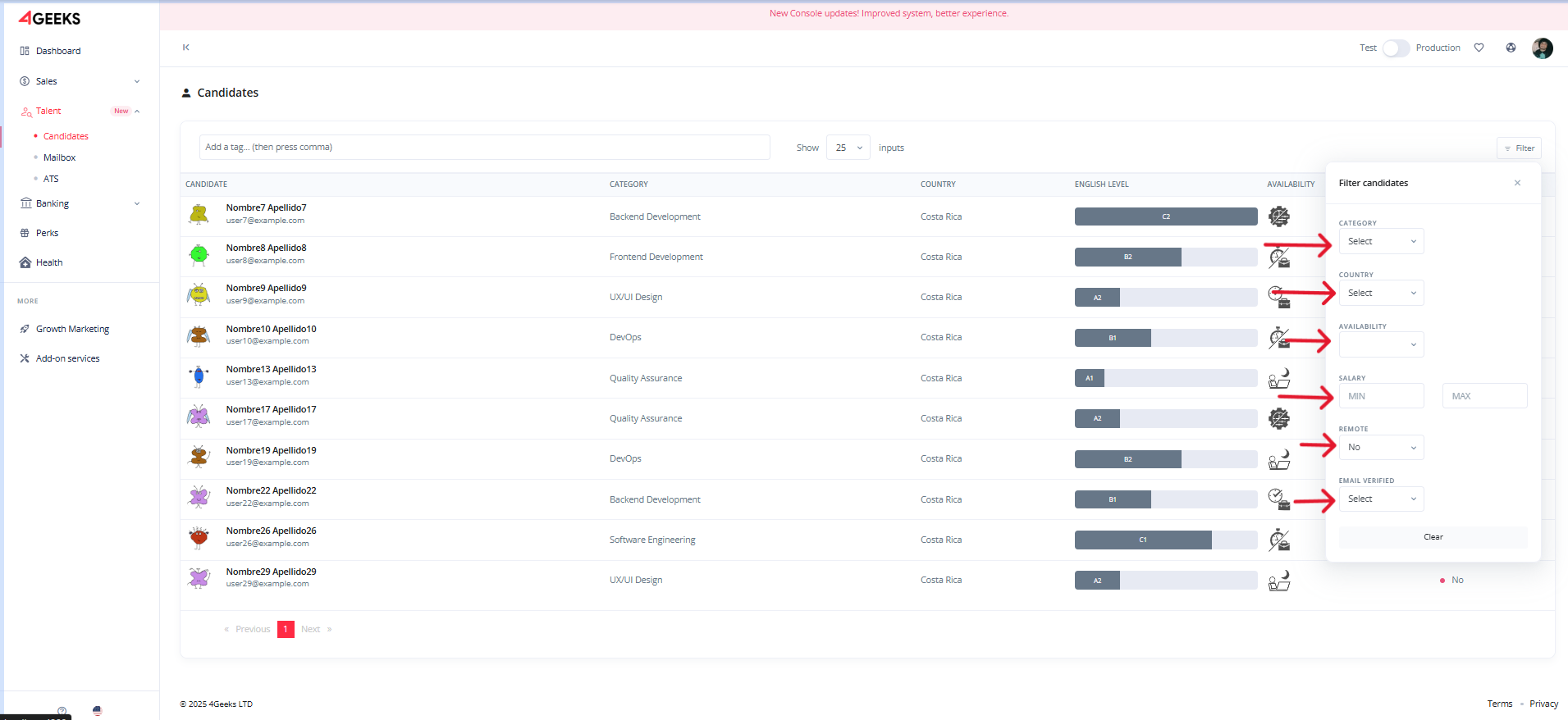
For precise control, use the sidebar facets. The database updates weekly, so filters reflect real-time data.
Filter Categories:
- Skillset & Stack: Filter by specific languages (Java, C#, JavaScript) or frameworks (Django, React Native).
-
Seniority:
- Junior: 0-2 years
- Mid: 3-5 years
- Senior: 5+ years
- Lead/Architect: 8+ years
-
English Proficiency (CEFR):
- A1/A2: Basic/Elementary
- B1/B2: Intermediate (Functional professional proficiency)
- C1/C2: Advanced/Native (Fluent professional proficiency)
-
Availability:
- Full-time: 40+ hours/week
- Part-time: 10-30 hours/week
- Remote Readiness: Filter specifically for candidates geared towards remote work.
-
Salary.
Tip
Combine multiple filters to refine your search more precisely.
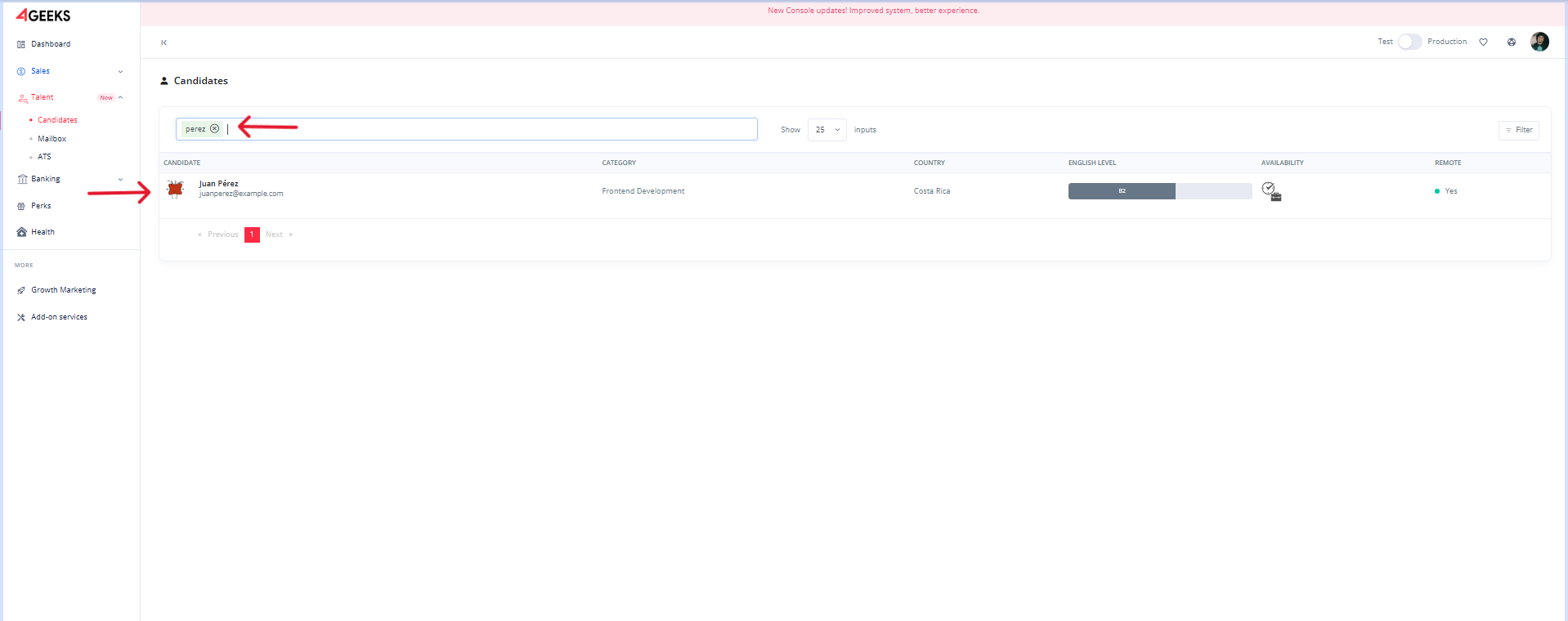
You can also search by name or keyword using the search bar above the candidate table.
Example: Searching for “Pérez” returns all profiles with that name.
Note
Availability icons help quickly identify key information at a glance.
Info
Click a candidate row to see the full profile. It shows details like portfolio links, city, English level, cover letter, and more.
- Login or signup into Console.
- Check out the changelog.
- Contact our enterprise support team.